Know What You Can Send Before You Quote It
A rental business is a date-by-date inventory puzzle with a truck attached. Zenvents360 shows what is free on the date, what is coming back damaged and what is overdue, in the same system that sends the quote.
45-day free trial • No credit card required • Every feature on every plan


Sound Familiar?
You quote 200 chairs you only have 160 of that day
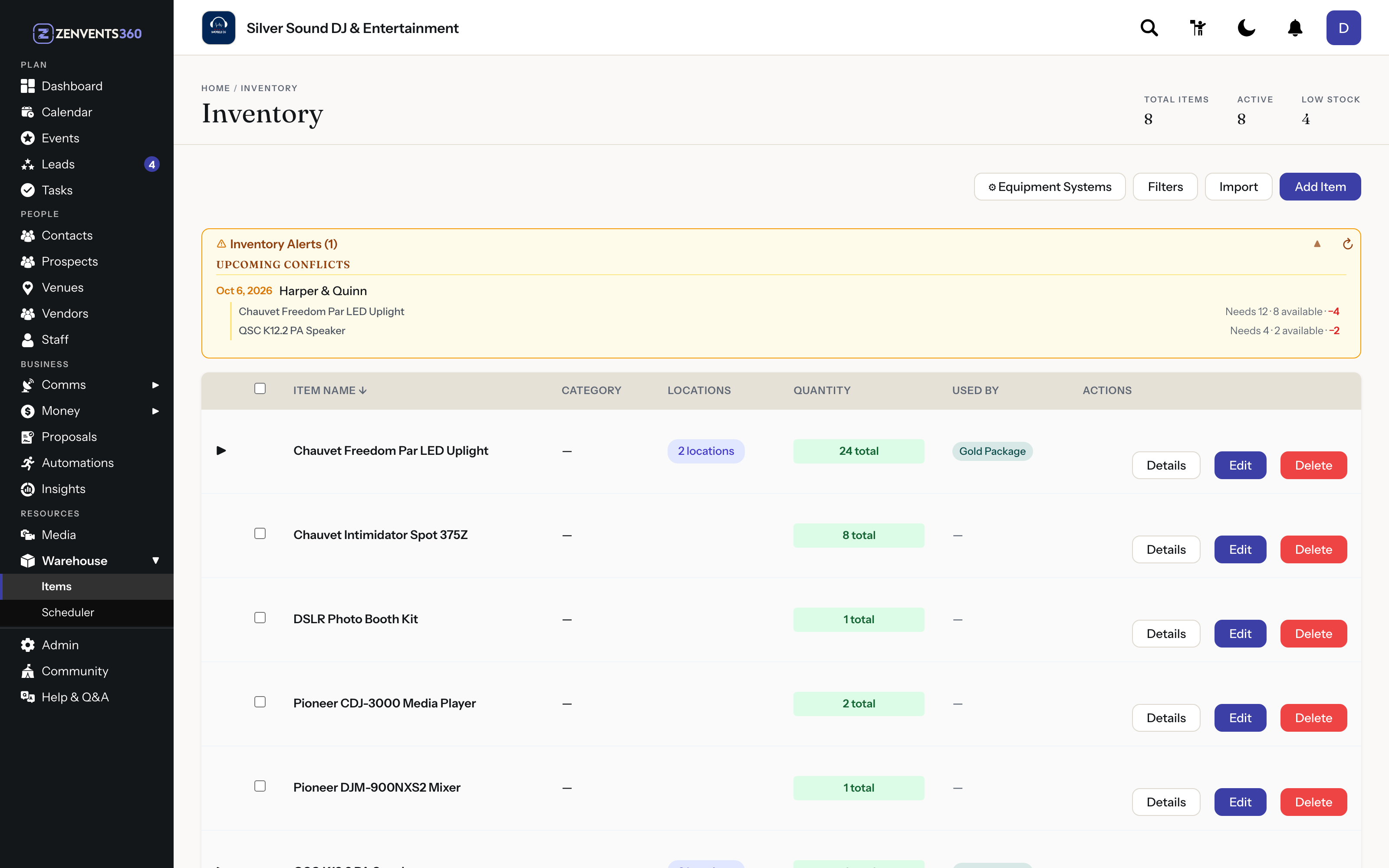
Availability conflict warnings appear on the proposal card, and the warehouse scheduler shows what you can send on any date.
Items come back broken, or not at all
Report an item damaged or missing and it leaves the shelf count immediately. Track the repair, or write it off and the total drops.
Damage gets billed by awkward email
Post-event charges add damage, extra items or extra time after the event, paid from the same portal, with the signed agreement left as it was.
Another company has the tent you need
Share inventory with businesses you trust, with your approval and a day rate.
Availability by date, not by guesswork
Every booked event is drawn across the warehouse lanes, so you can see what is out, what is coming back and what you can still send on any date.
- Warehouse scheduler with booked events across the lanes
- See what you can send on any date, and when each item next goes out
- Conflict warnings on the proposal card
- Multi-warehouse with bin locations
- Import your item list from a spreadsheet, previewed row by row
Returns, damage and repairs
A chair that comes back broken or a linen that never comes back leaves the shelf count and stays out of new bookings until it is sorted.
- Overdue return alerts
- Damaged or missing items off the shelf count right away
- Repairs tracked from Needs service to Back in stock
- Write-offs lower the item’s total
- Booked events left short are named, with how many
Delivery, setup and pickup
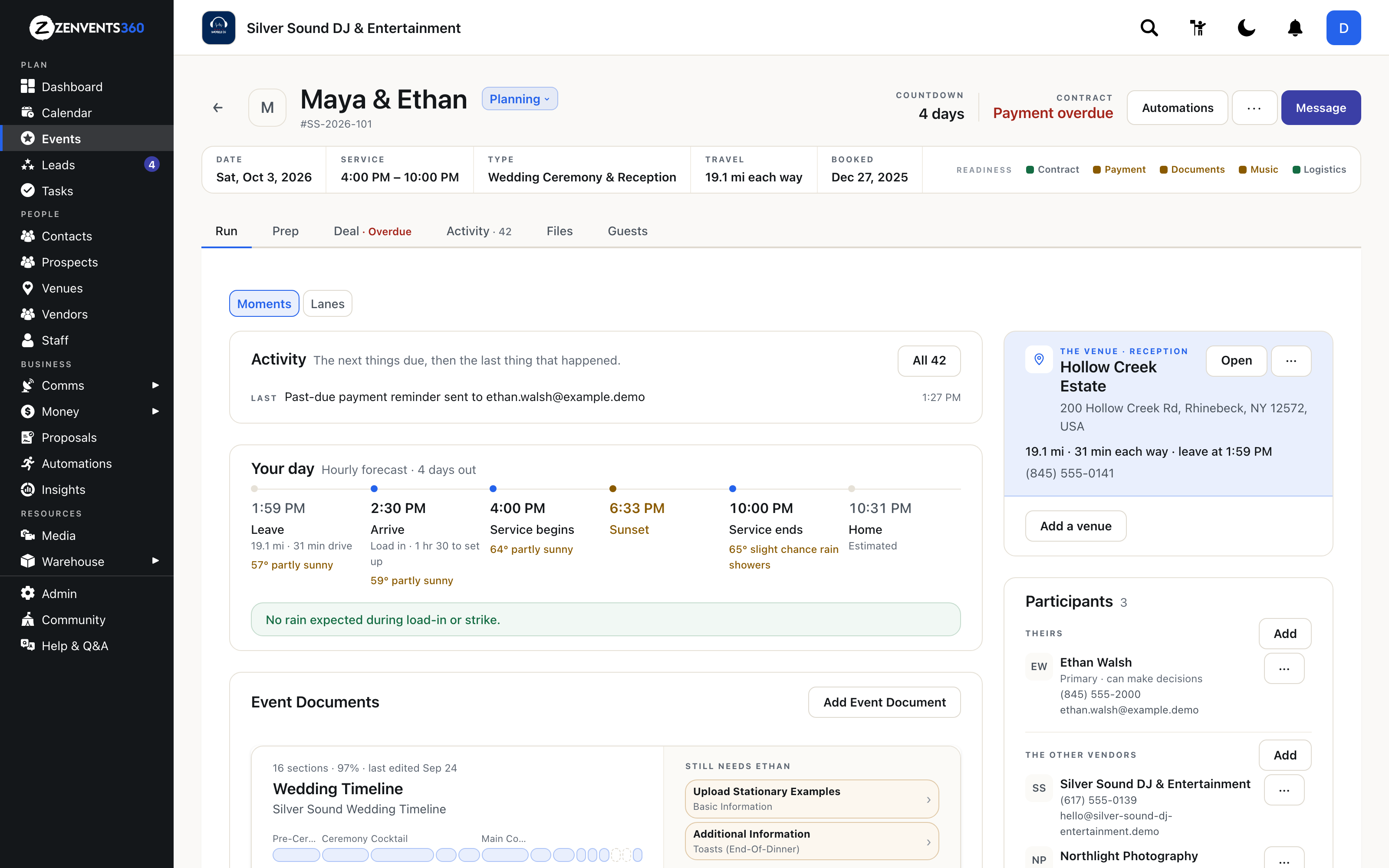
Setup and strike are blocks of their own, built from the drive to the venue, so delivery and pickup windows are real times rather than guesses.
- Setup, event and strike as separate blocks
- Real Google Maps drive time each way
- Automatic travel charges past your distance thresholds
- Rain warnings for load-in and strike
- Days nobody is in to receive returns, shown on the scheduler
Bill what happened, after it happened
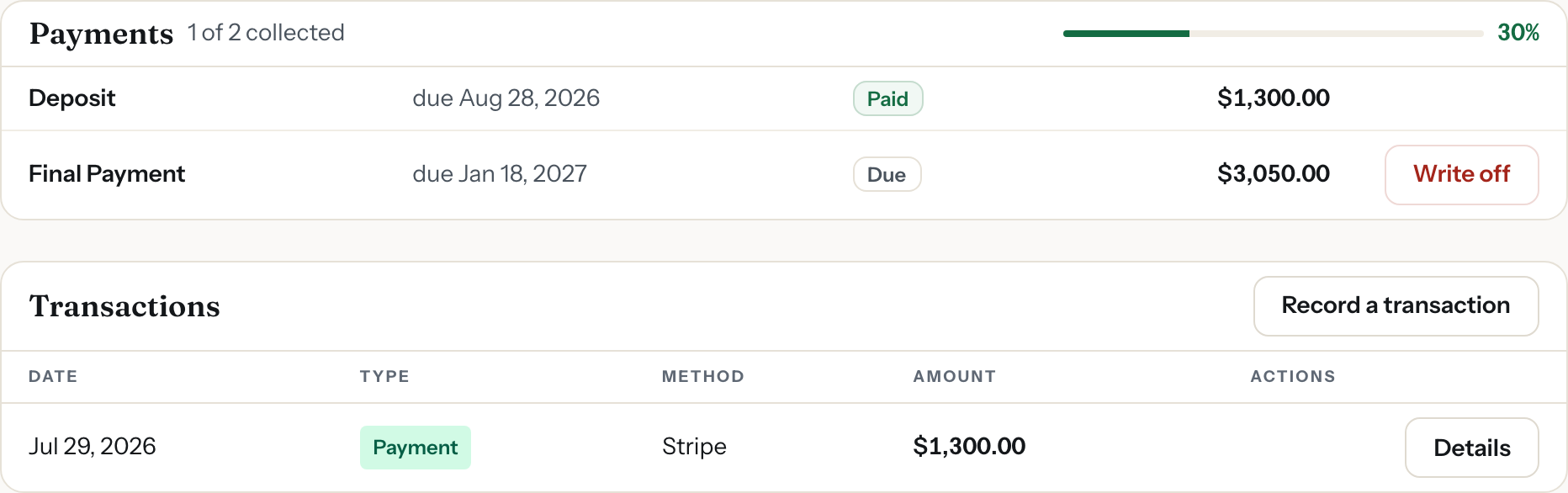
Damage, extra items and extra days go on as post-event charges. Sales and walk-in rentals get an invoice with no event attached.
- Post-event charges with quantities and a rate
- Optionally ask the client to approve before paying
- Invoices without an event, with a payment link
- Your own Stripe, Square or QuickBooks Payments, no cut taken
What it doesn’t do yet
Better you hear it here than in week two of your trial.
- Autopay and tap to pay. Clients pay deposits, balances and damage from their portal link.
Plus Everything Every Event Business Needs
The parts of the job every event pro shares, on every plan, at no extra cost.
A client portal they will open
One link. No account, no password, no app to download.
Contracts signed online
Filled from the event, e-signed with a timestamp and IP recorded.
Paid through your own accounts
Stripe, Square or QuickBooks Payments, with reminders. We take no cut.
Follow-ups that send themselves
Workflows run on pipeline stages and dates, and show you what goes out this week.
Every email on its event
The unified inbox threads mail by event, not by sender.
Real books
Double-entry accounting, a P&L for any period, and a QuickBooks push.
A free directory listing
On zenvents.com, in a fresh random order on every visit. Nobody pays to rank.
Your data, one click out
Download My Data exports everything, whenever you want it.
One Price. Every Feature.
Count it once, quote it honestly, and know what came back.
Standard
$49/month
3 users included, $5/month each after, and basic-access employees and subcontractors are free. $490 a year.
Unlimited
$99/month
Unlimited users. $990 a year.
No signature quotas, no booking caps, no per-brand fee, and no cut of what your clients pay you. Support comes directly from the owner.