Find a Gig. Fill a Gig. The Freelancing Engine Built Into Zenvents360.
Every working event professional has the same two problems at different points in their career: not enough gigs when you are building, and not enough pros when you are full. The Freelancing Engine solves both sides of that equation, from inside the same platform you already manage your business on.
Two problems, one marketplace
For an event professional earlier in their career - a photographer, a DJ, a coordinator, a bartender - or one expanding into a new market, finding work on otherwise empty dates is a constant challenge. Networking helps. Word of mouth helps. But both take time, and both depend on being in the right room with the right people.
On the other side, a busy event business with more bookings than they can personally cover faces the opposite problem. Finding a qualified pro to hand a gig to - a second shooter, a backup DJ, an extra pair of hands for a big floral install, someone whose work you can vouch for and who will represent you well - is harder than it should be. The text chain starts. The group chat gets surveilled. Still not enough people.
The Freelancing Engine creates a structured marketplace inside Zenvents360 that connects both sides of this directly.
Posting an event as an open gig
If you have a booking you need covered - or an event slot you have availability to fill with freelance work - you can list it as an open gig in the marketplace. It becomes visible to other event professionals on the platform who are looking for work on that date.
Gig listings include the relevant event details - date, location, event type, and what the role involves. You can add what you want them to know, the dress code, what you provide, what they should bring, the guest count and the day requests close. Enough for a serious pro to evaluate whether it is a fit, without oversharing client information before a commitment is made.
Post a gig from the Find A Gig page by picking one of your booked events, or from the event itself when you assign a role.
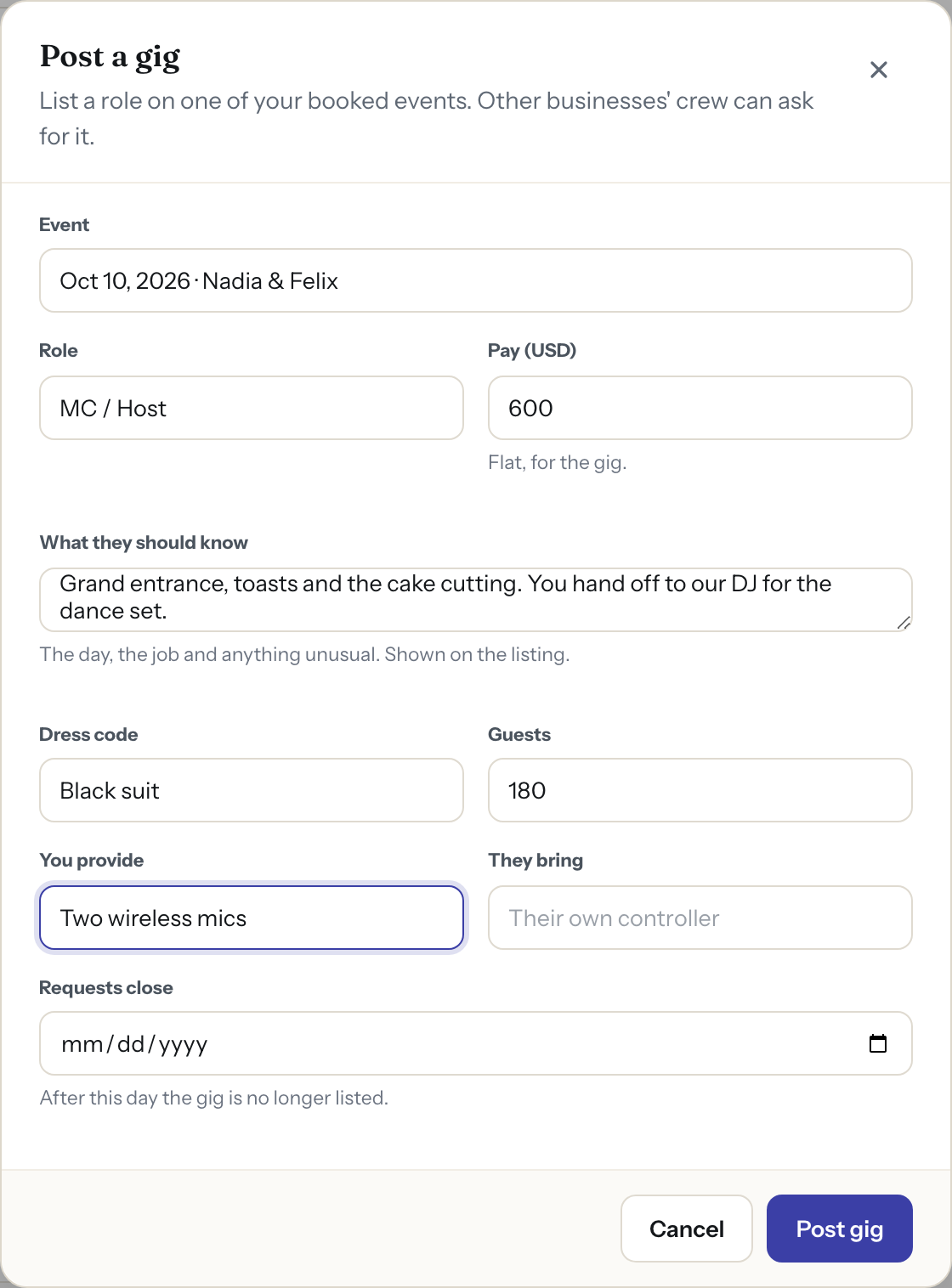
Post a gig: pick a booked event, then the role, the pay and what a freelancer needs to know before saying yes
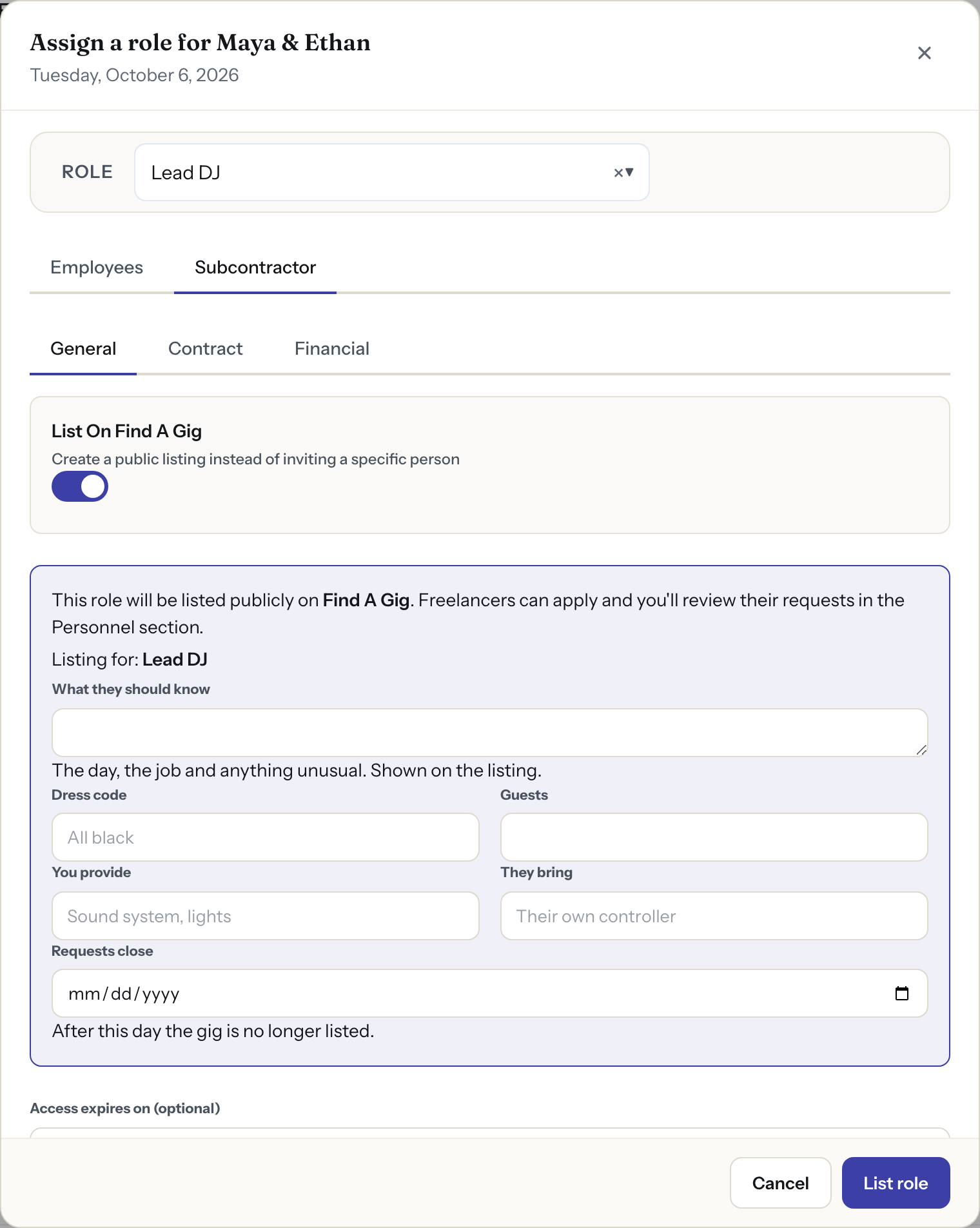
One toggle in the Assign Role modal is all it takes - flip it on and the position goes live on Find A Gig
Finding the gigs that fit
Freelancers search by role, how far they will travel, when, and which business posted it, and sort by the soonest date, the highest pay or the nearest venue. Each card shows the role, the business, the pay, the date and hours, and the venue with its distance in miles.
The system already knows your calendar. A gig on a date and time you already work is hidden by default, and the page says how many it hid, so you can show them if you are thinking of handing your own booking off. Shown, each one is marked with the event it clashes with.
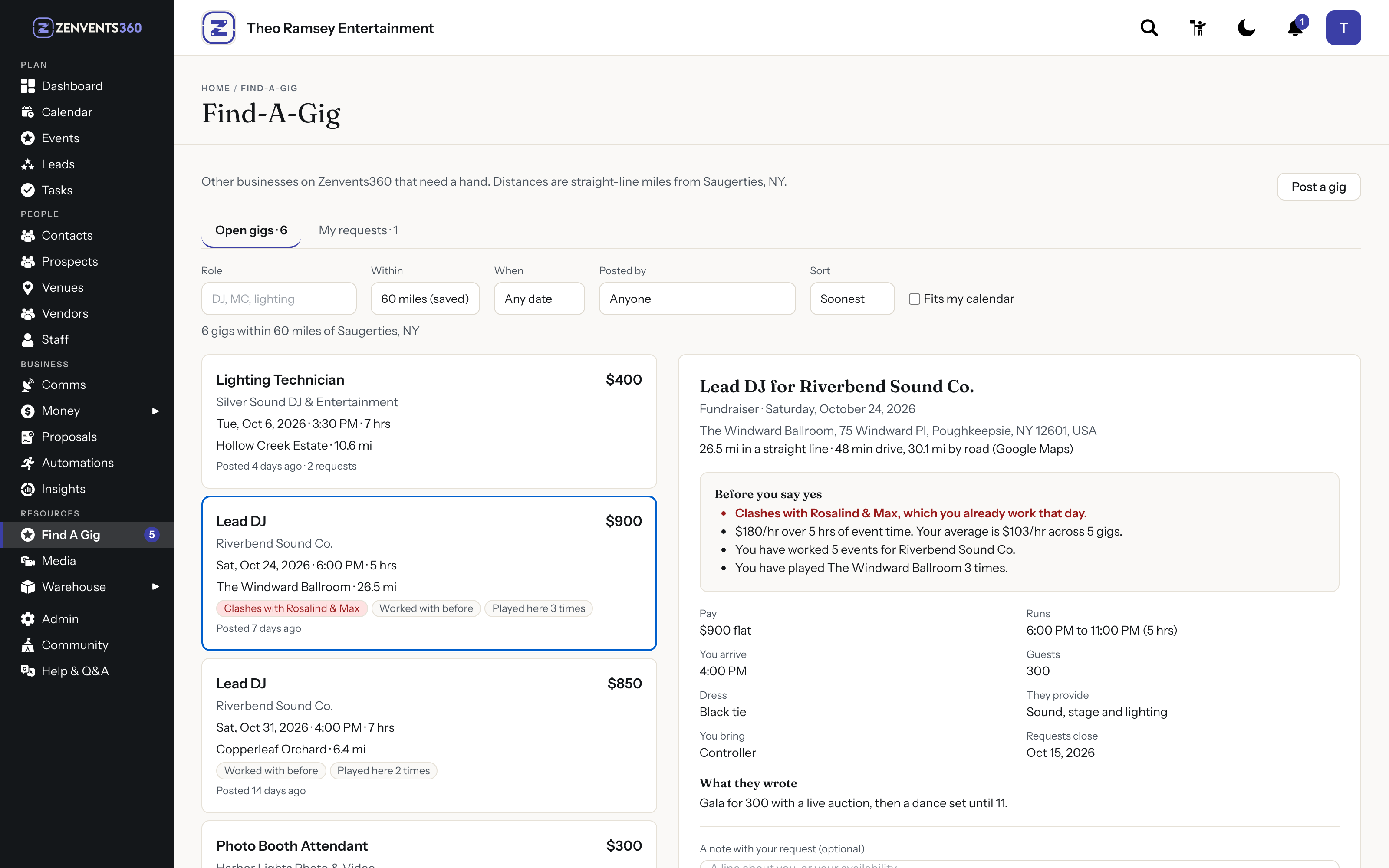
With Fits my calendar off, a gig on a day you already work shows which booking it clashes with
Before you say yes
Open a gig and the numbers that decide it are in one place. The drive time is a real one, from Google Maps, for the gig you opened. The pay is shown per hour of event time, next to your own average over the last 12 months once you have five gigs with known hours to average. You see whether this is your first time with the business, how many events you have worked for them, and how often you have worked the venue.
Below that is what the business wrote, the dress code, what they provide, what you bring, the guest count and the day requests close. Add a note and ask for the gig; your profile bio goes with it.
If you work the night before or the Saturday after, the gig says so, so a back-to-back weekend is a choice you make on purpose. Not sure about something? Ask the business a question from the gig. Their answer shows on the listing for everyone, without your name. A search you run every week can be saved under a name and opened again in one click.
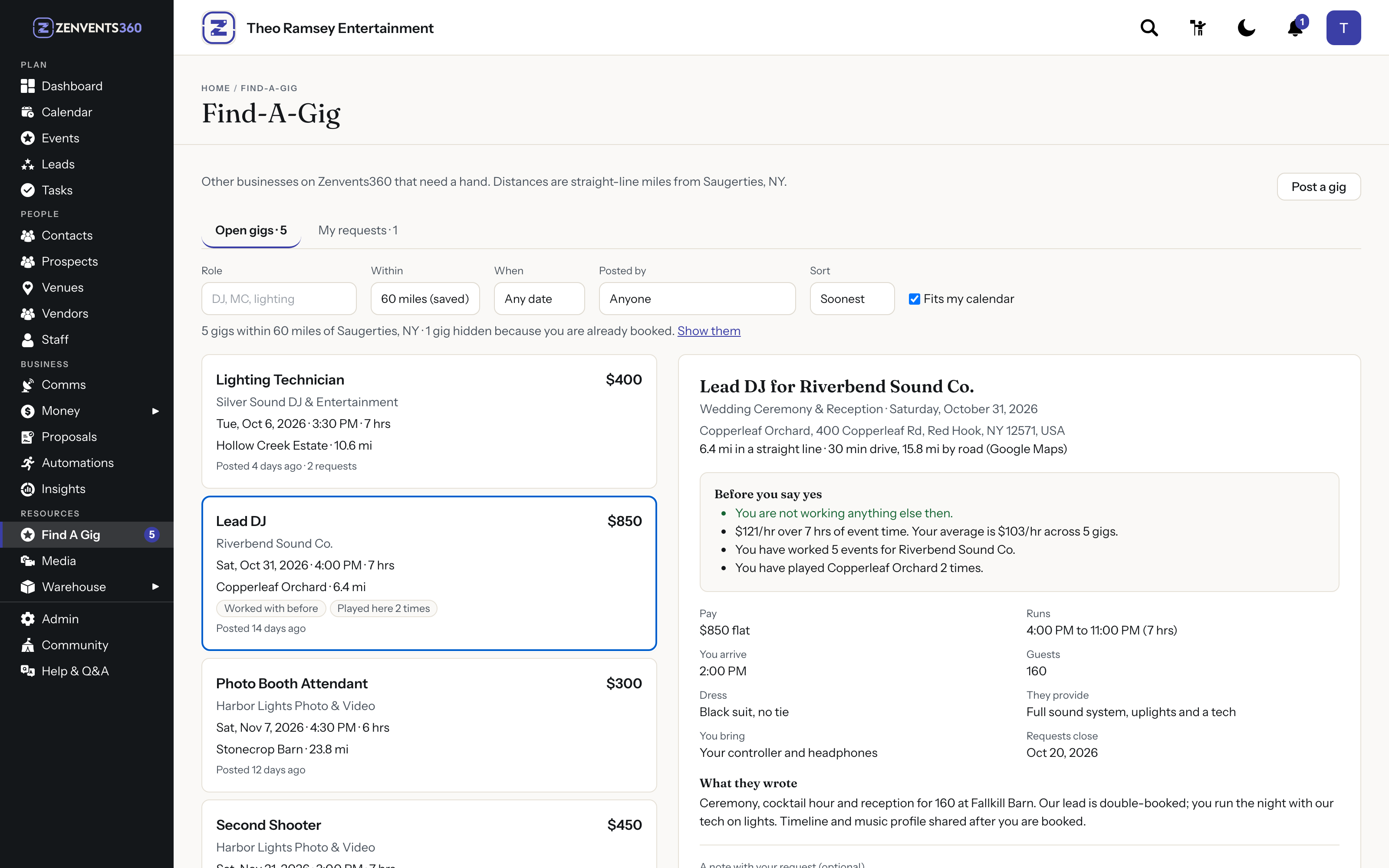
The open gig: a real drive time, the pay per event hour next to your own average, and your history with the business and the venue
Reviewing applicants
When freelancers apply for a gig, their request lands in the event's Personnel panel with their bio and the note they wrote you, and View Profile adds links to their social presence. This is not a portfolio site or a reference call. It is the context you need to decide, right where you staff the event.
For someone posting a gig for the first time, this is the part that matters most. You are not hiring blindly. You can see who this person is, what kind of events they work, and what they have to say about this one. That is more information than most freelance arrangements start with.
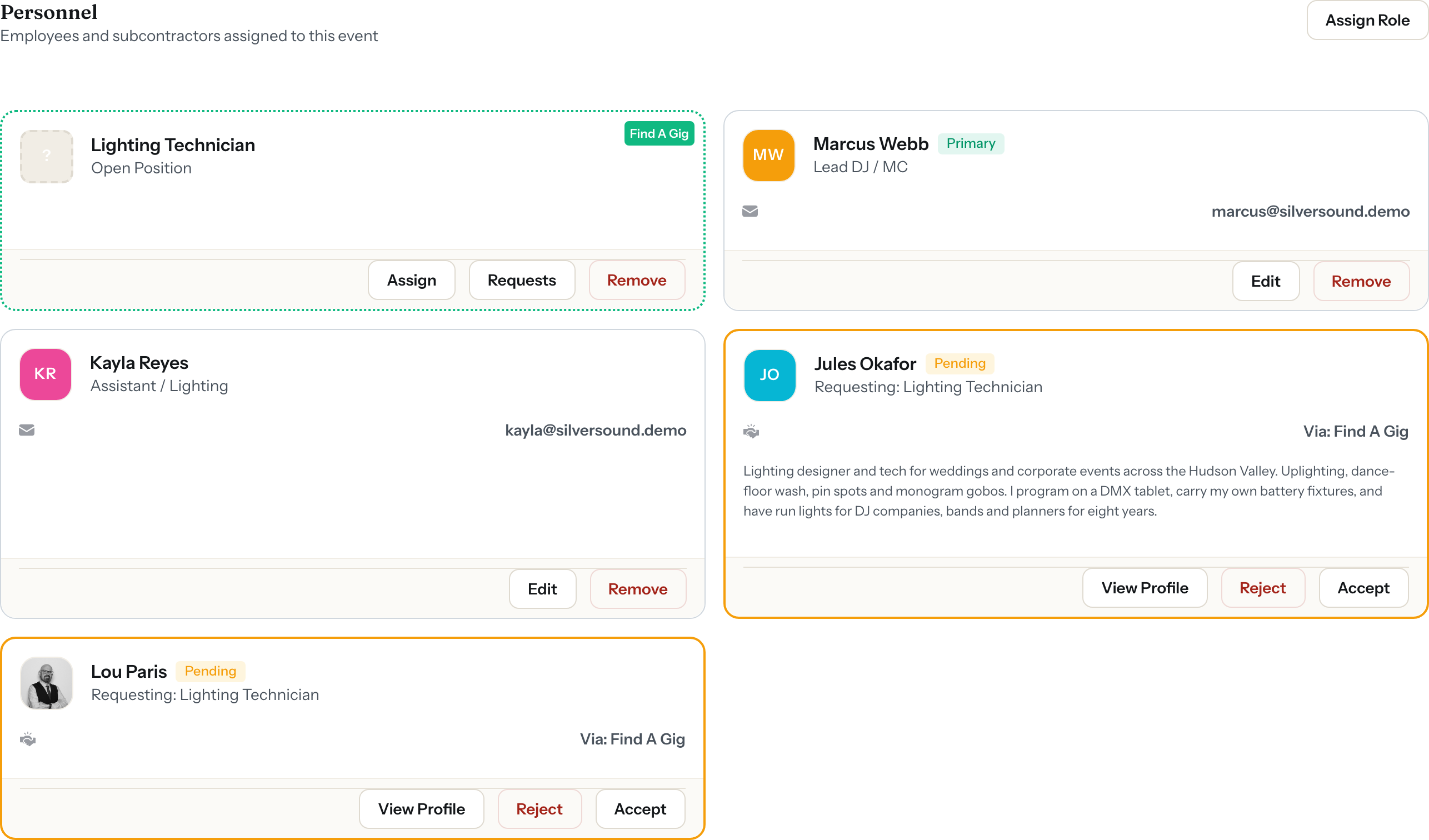
Applications land directly inside the event Personnel panel - open positions and incoming requests visible in one place
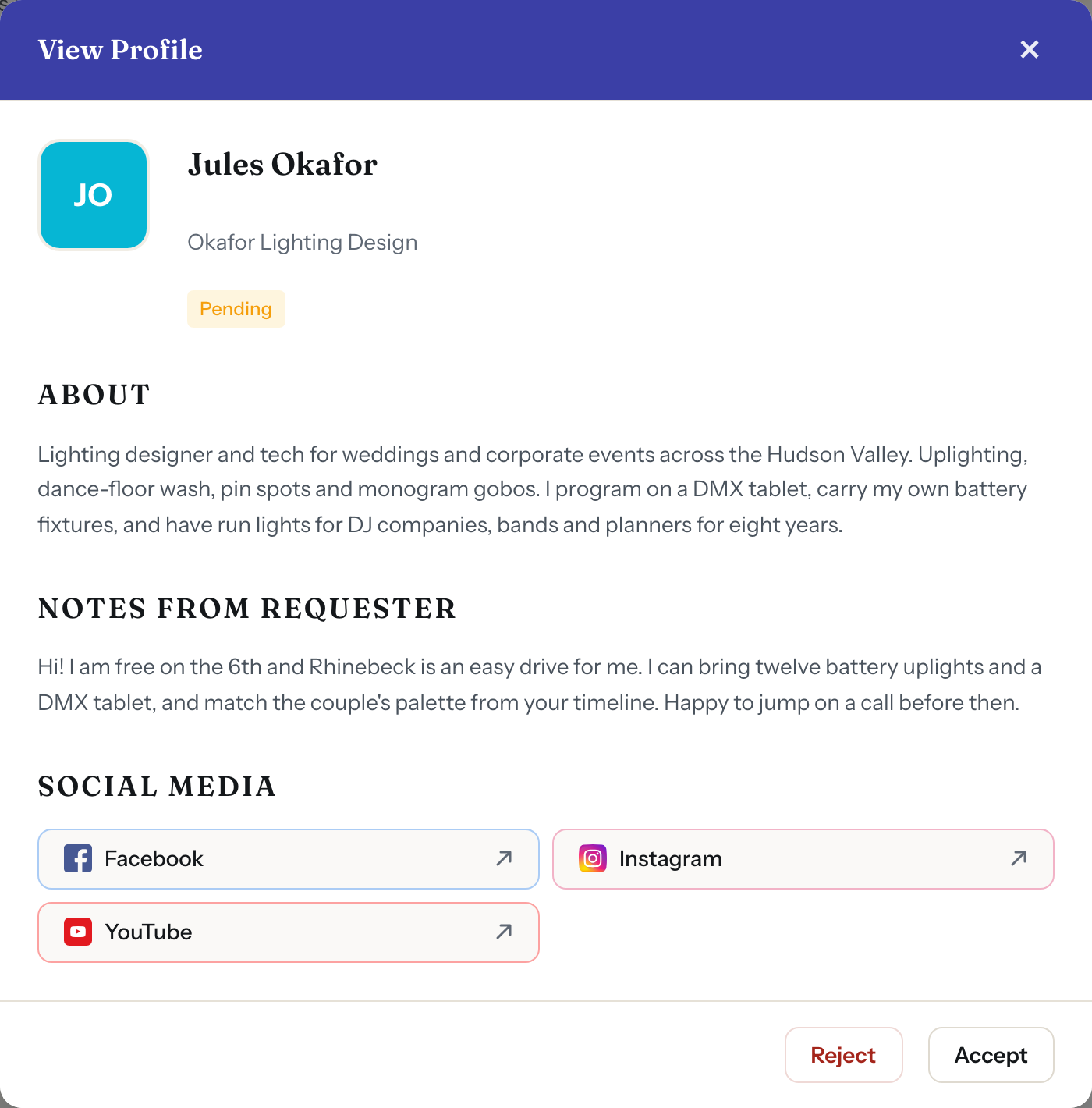
View Profile shows the applicant's bio, their intro note, and links to their social presence - enough context to make a confident call
Accept, decline, and sign a contract
When you find the right person, accepting their application triggers a formal engagement flow. The freelancer is presented with a contract - the same kind of signing experience your clients go through, now applied to the freelance relationship. They review the scope, the payment terms, and the conditions before anything is confirmed.
This is not an informal handshake. Both sides have a signed agreement before the gig is considered booked. The freelancer gets scoped access to the event details they need - without seeing your full financial records - and you have a documented commitment in place.
Applicants you decline move on without friction. There is no ghosting, no awkward conversation. Accept the one you want, and the platform handles getting them under contract and up to speed.
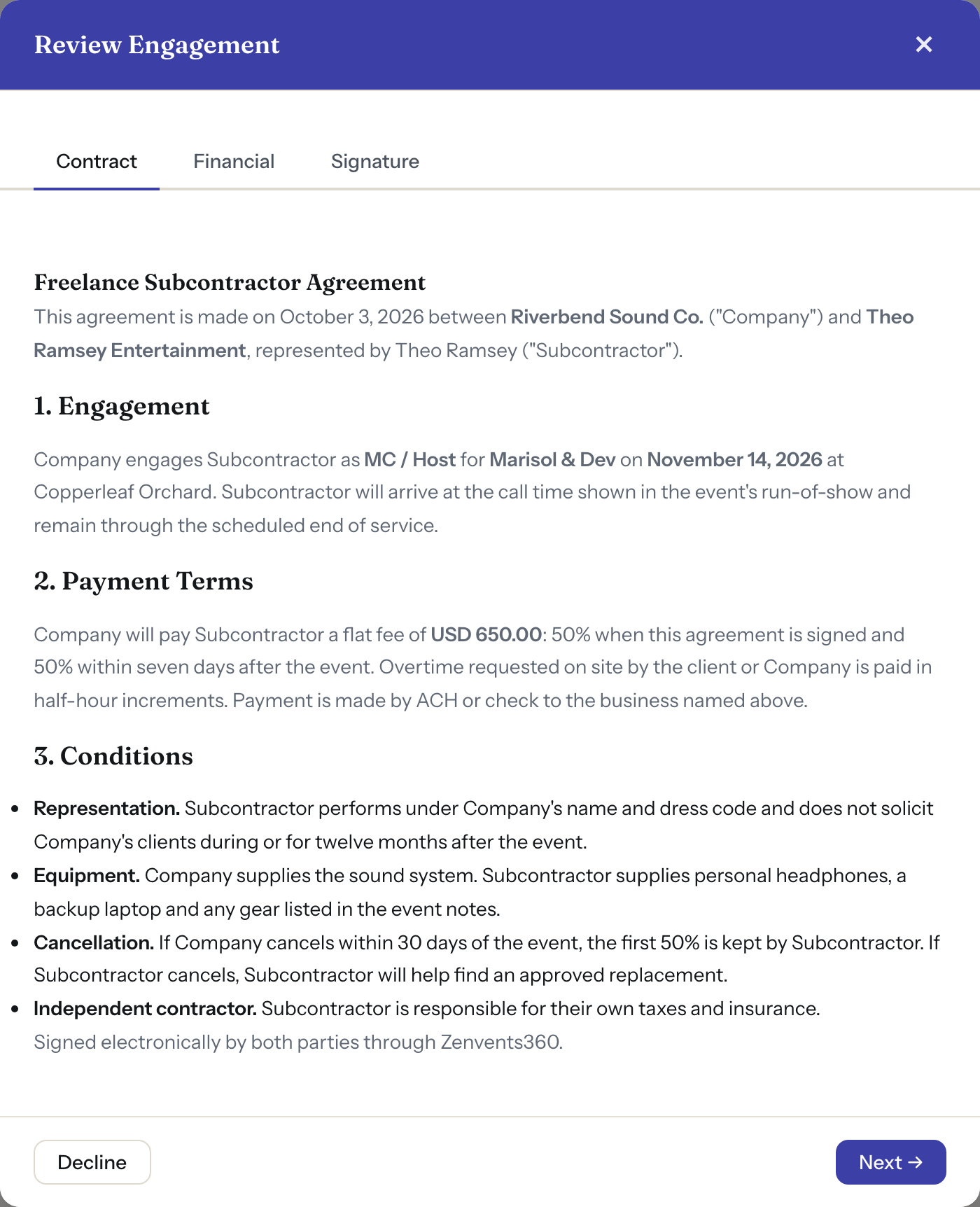
Before the gig is confirmed, the freelancer reviews and signs a formal engagement contract - scope, payment terms and conditions all spelled out before anyone shows up
Building a reputation in the industry
For freelancers, every application carries their profile with it: a bio, an intro note for that gig and their links. Every gig they work stays in their own events list, beside the events they booked themselves, so the history builds as they go.
For the businesses posting gigs, a growing pool of freelancers whose profiles you have already read means the next time you need coverage, the answer is already in the platform. You are not starting from scratch every time. The community builds itself.
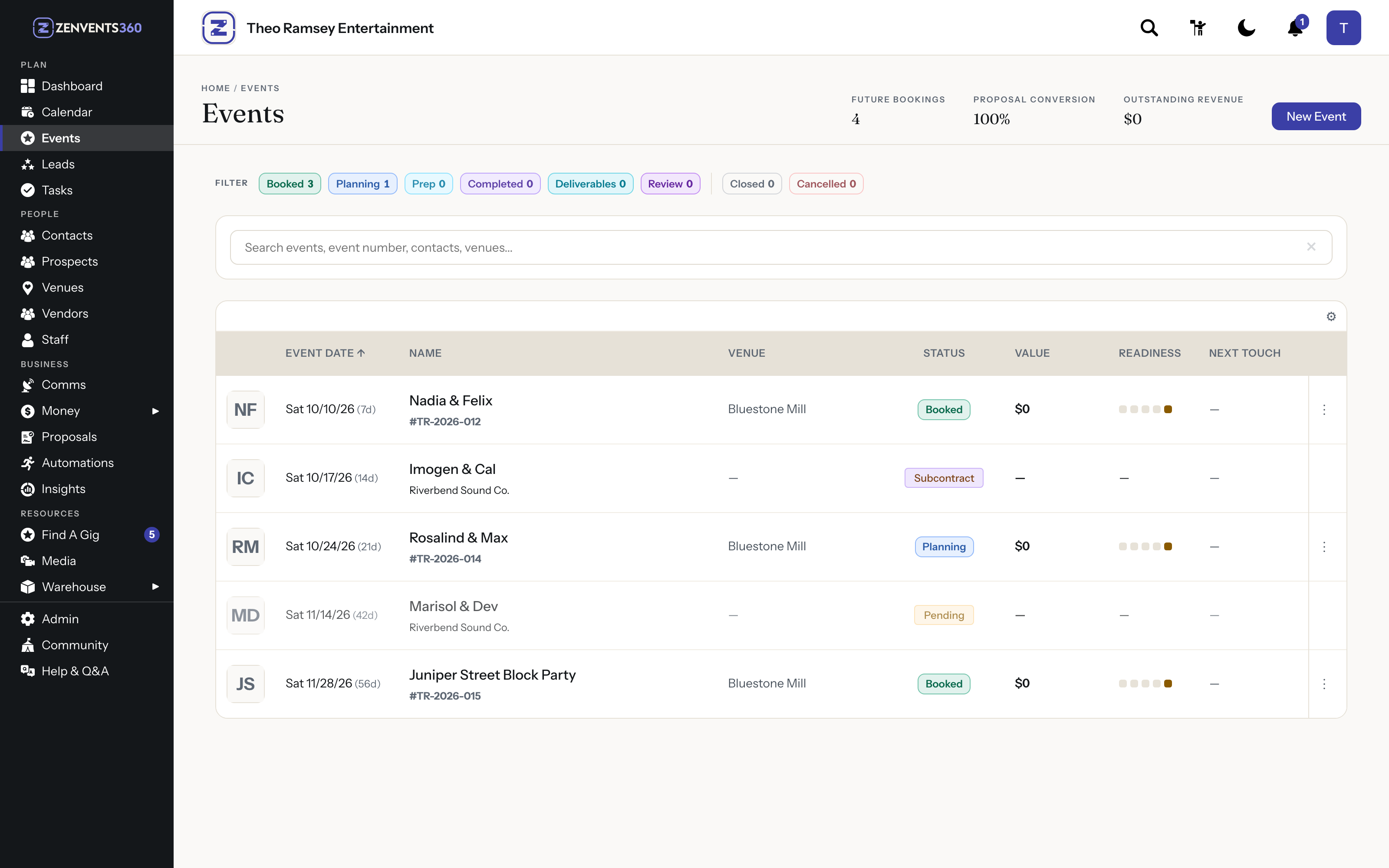
Accepted gigs appear in the freelancer's Events list alongside their own bookings - one calendar, the full picture
Freelance smarter, fill faster
The Freelancing Engine is available now in Zenvents360.
Start Free Trial →Lou Paris
Founder of Zenvents360. 30+ years in the event industry. Built this because someone said he couldn't.