From Clutter to Clean: Zen Redefines Your Planning Experience
It's Tuesday. You've got a wedding on Saturday. You open the event and the first thing you see is a row of colored stage boxes, an activity feed, and eleven tabs. Everything you need is in there somewhere. That's the problem. So I rebuilt the event page and the client portal around the question you're actually asking when you open them.
Hey, it's DJ Lou. When I restarted this idea of a killer event management platform, I melded some old designs with some new ideas. The old design wasn't broken. It was fine. But as the features grew, so did the clutter, and six months in, the tab bar was a filing cabinet. Things got scattered, and the experience was suffering for it.
Some products take months, even years, to figure out where they're going. I knew I had to stick to my core ethos: keep it simple and informative. So this redesign isn't a new coat of paint. It's a new order: what you need first comes first. It brings simplicity, power and practicality to every screen you work in.
At the time of writing, I'm about 60% of the way through this redux, with a finish line in early October, when the redesign construction crew takes a bow.
Every screenshot below is a wedding in my demo account. The couples and vendors are made up. The data shape is real.
The event opens on your day, door to door
The new Run tab is the first thing you see. At the top is Your day: when to leave, when you arrive, when service starts, sunset, when service ends, when you're packed up, and when you're home. It's built from the booking and the drive to the venue, with the hourly forecast beside each step once the event is close enough to have one.
Under it is a one-line answer to the question every outdoor load-in raises: “No rain expected during load-in or strike,” or where rain is likely. Beside it are the venue with the drive time, the people on the event (theirs, yours, and the other vendors), and the event documents, with what the client still hasn't filled in.
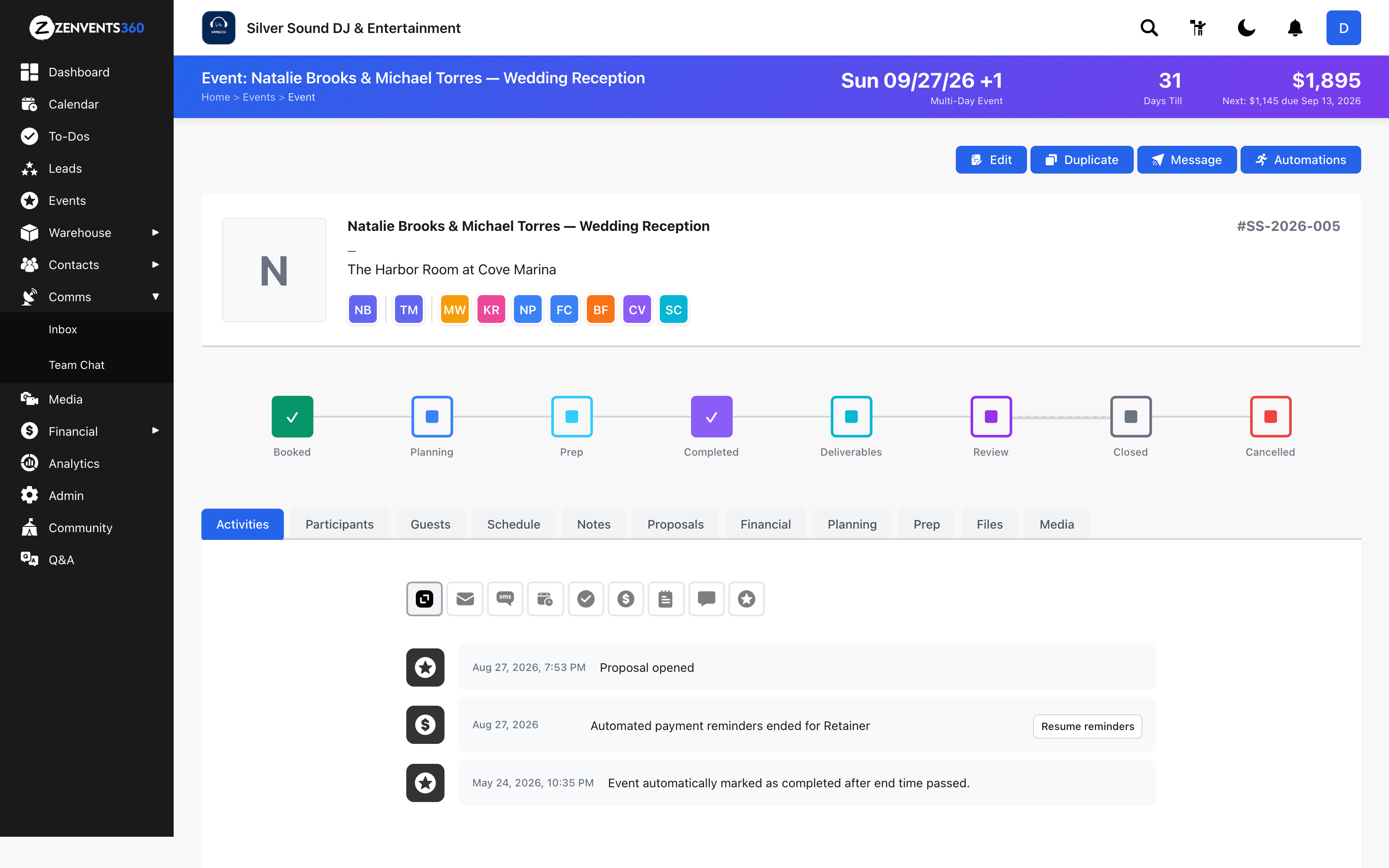
Before
After
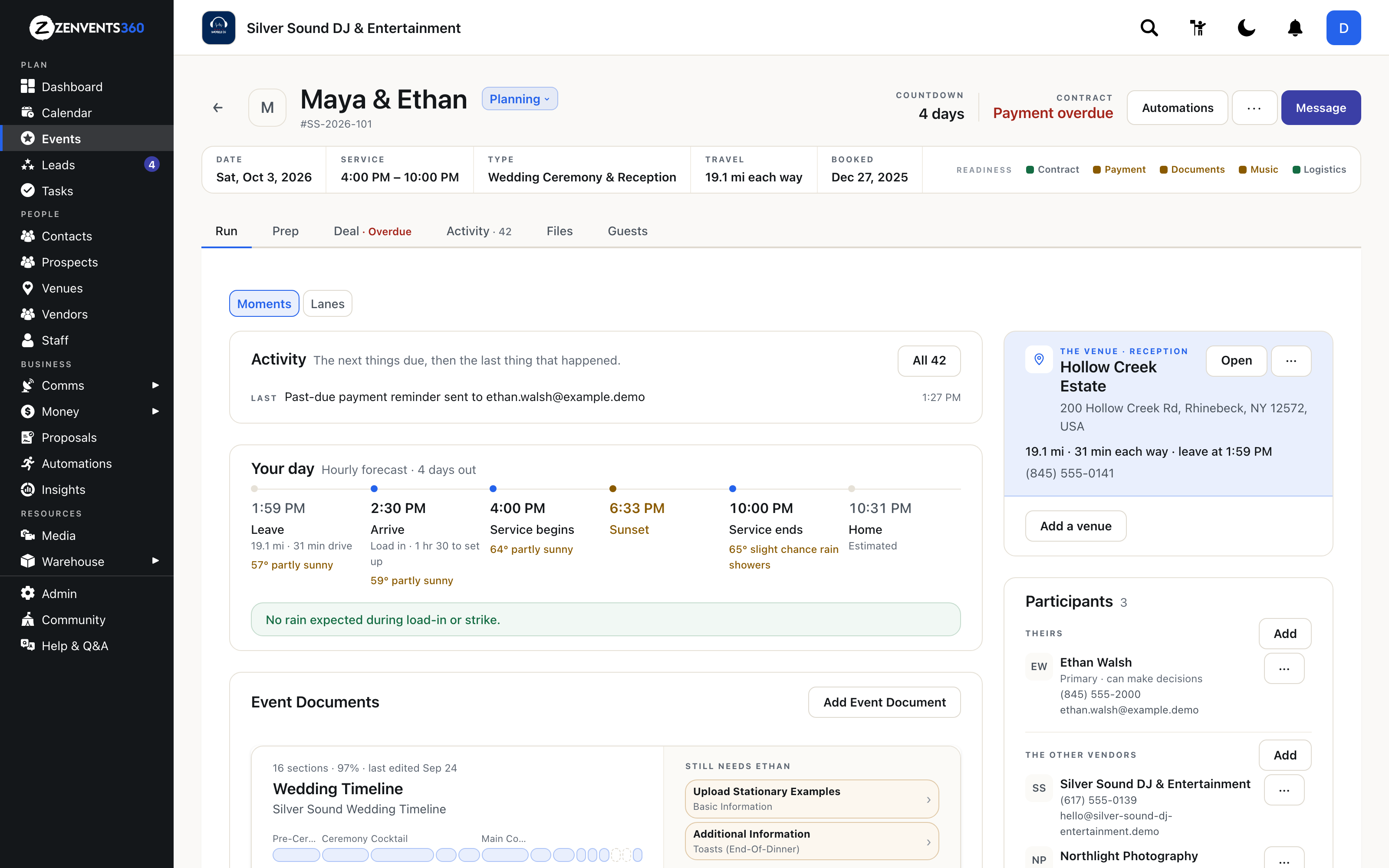
Before: eleven tabs and an activity feed. After: six tabs, and the page opens on the day itself.
A header that answers “are we good?”
The old header was a big colored banner with the date and a total. The new one says what you'd otherwise go looking for: the countdown, where the contract and payment stand, the service times, the event type, the drive, and when they booked.
On the right is a readiness row with five checks: Contract, Payment, Documents, Music and Logistics. A green dot means done, amber means it needs you, so you know where to look next. The eight-box stage tracker is now a single status you can change from the header, because you need the stage, not a diagram of every stage it isn't.
The money lives in one place
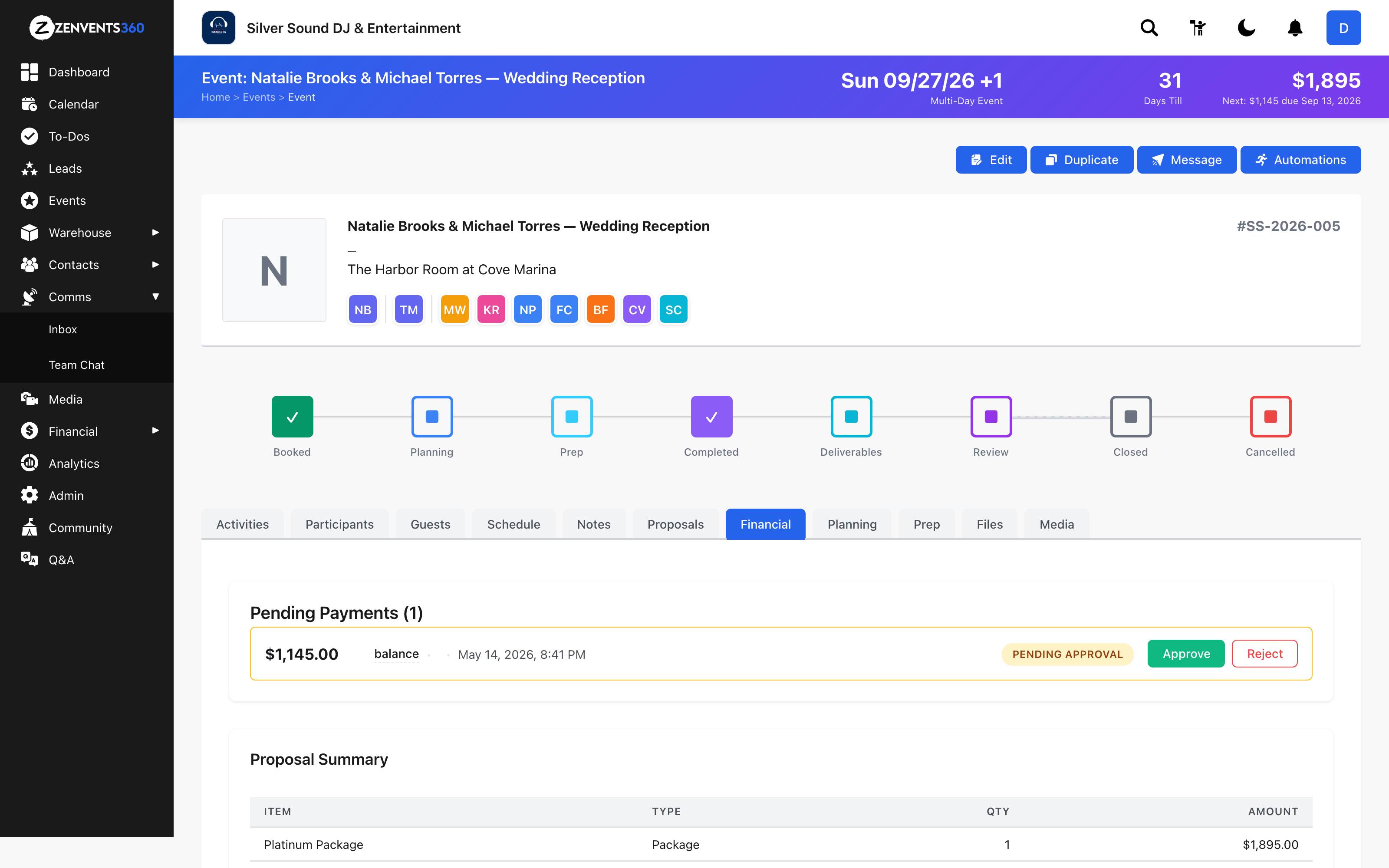
Proposals and payments used to be split across separate tabs. Now they're one Deal tab. The signed proposal sits at the top with its line items. Older versions fold underneath it. On the right, This event shows the contract value, what's been collected, what's outstanding, and what the event is costing you.
When something is off, it says so in plain words. If a proposal's line items don't add up to its total, the Deal tab tells you before your client notices. And if a payment is late, the tab itself reads Deal · Overdue, so you see it without opening anything.
Before
After
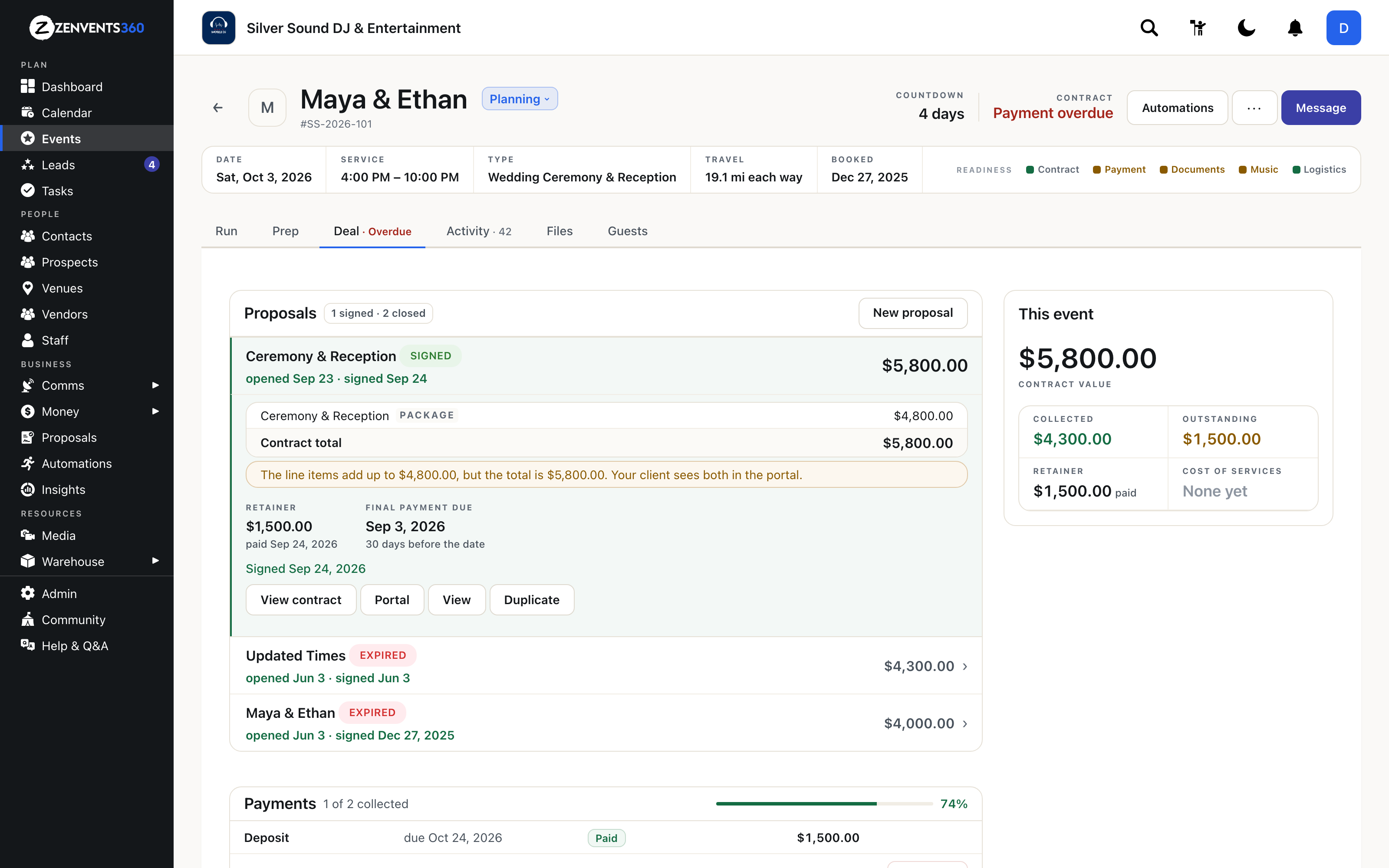
Proposals, payments and contracts, together. The summary on the right answers “what do they still owe?” at a glance.
Activity tells you what's next, not just what happened
An activity feed is a history. History is useful, but on a Tuesday before a wedding you want the next thing. The Activity tab now leads with what's coming up, then the last thing that happened. Beside it, The conversation shows when the client last wrote and when you last did, so you can tell in a second whether you're the one who owes a reply. Emails open in a side panel, so you never lose your place.
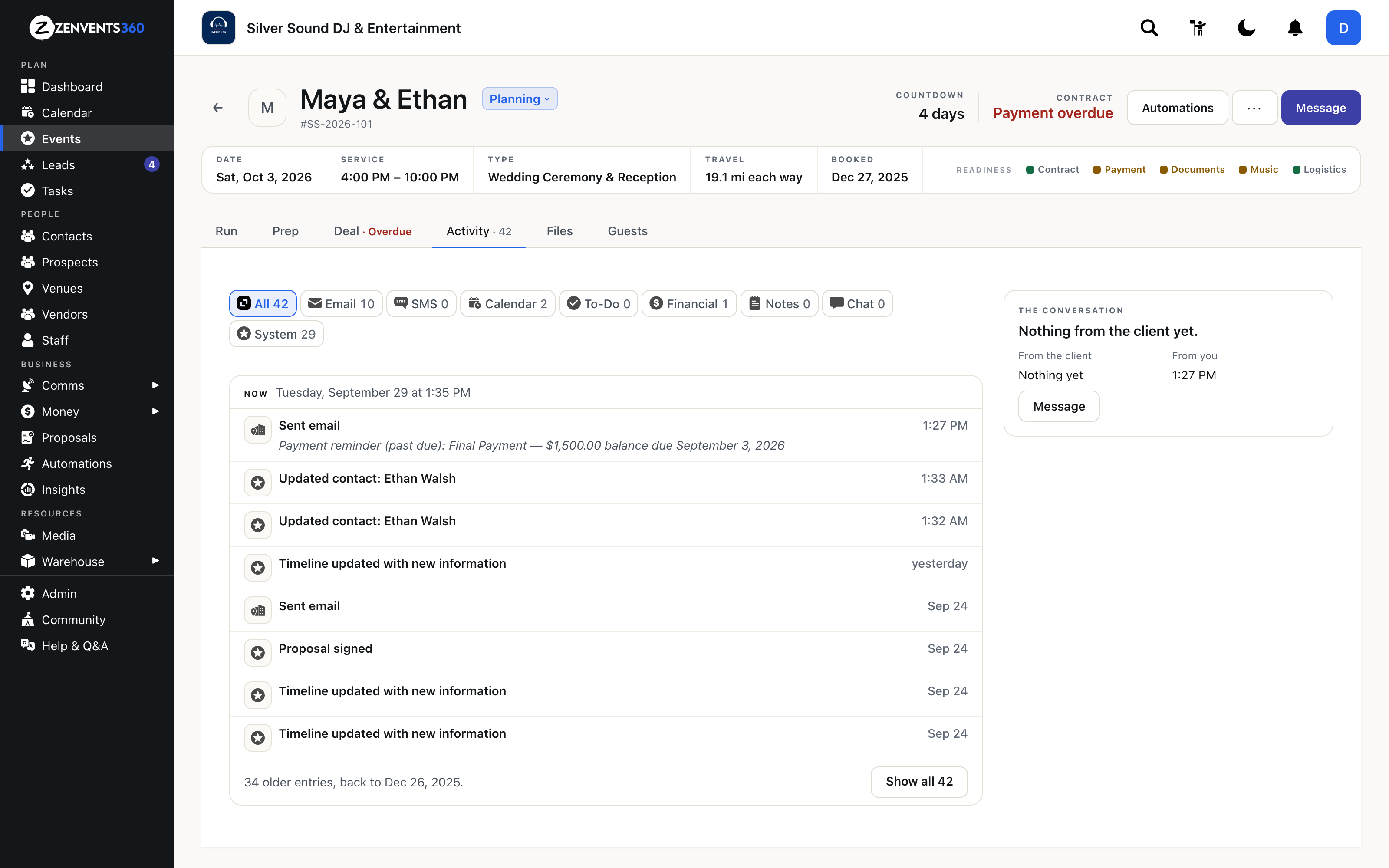
The conversation panel on the right: who wrote last, and a Message button.
Your clients get the same treatment
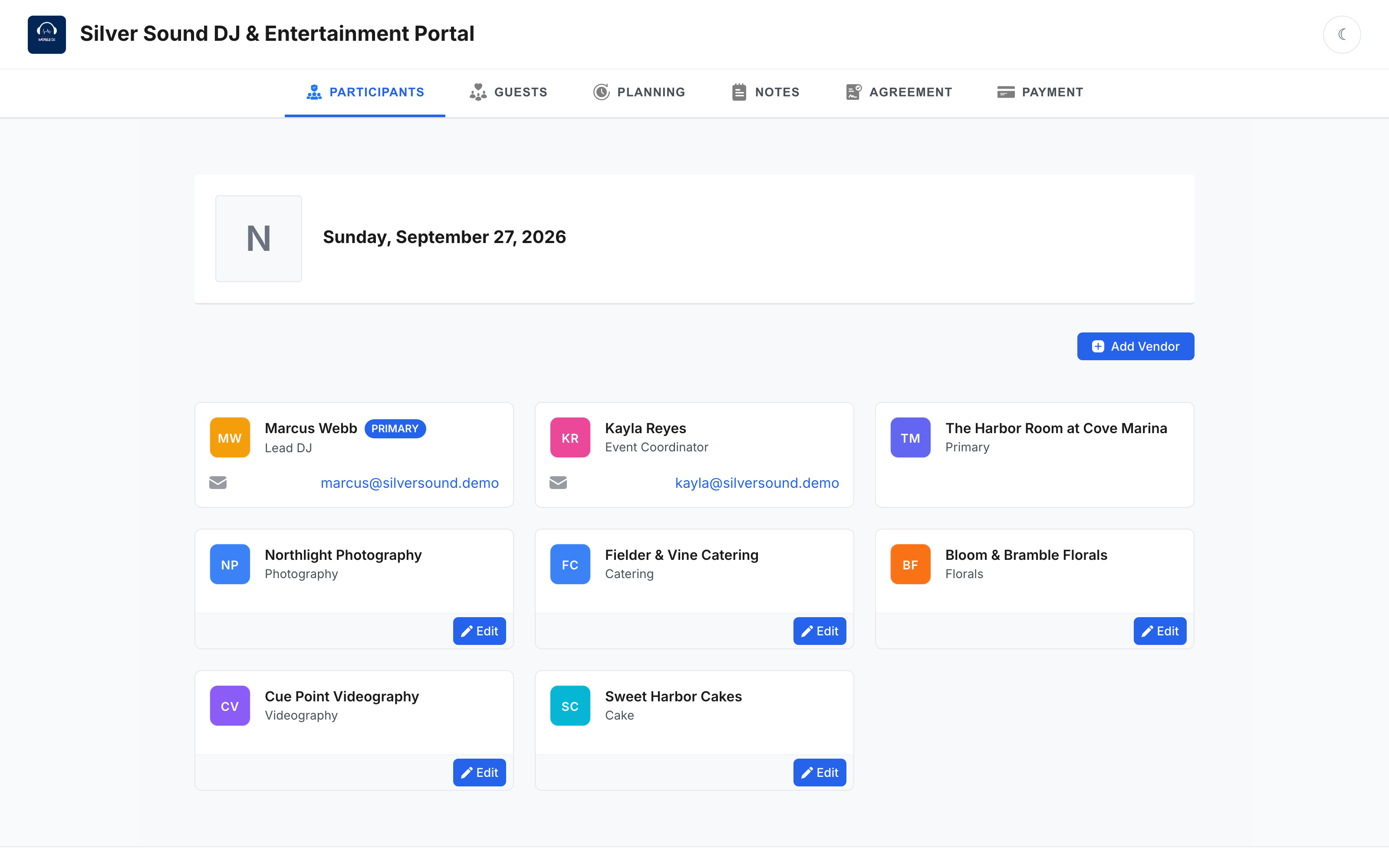
Here's something I hear in every DJ group: “Couples just don't use the tools they're given.” My portal used to open on a list of vendors and leave the couple to work out what they were supposed to do next. That's on me.
The client portal now opens on a dashboard that tells them. “3 things left,” each with one button: finish your timeline, pay your balance, add a photo of the two of you. Next to that are the forecast for their day, the running order, who else is working the event, their signed agreement, and their balance, with what they've already paid.
It's still one link, with no app to download and no password to forget. Planning, the agreement and payment are all still there as tabs. They just aren't the first thing a couple has to decode.
Before
After
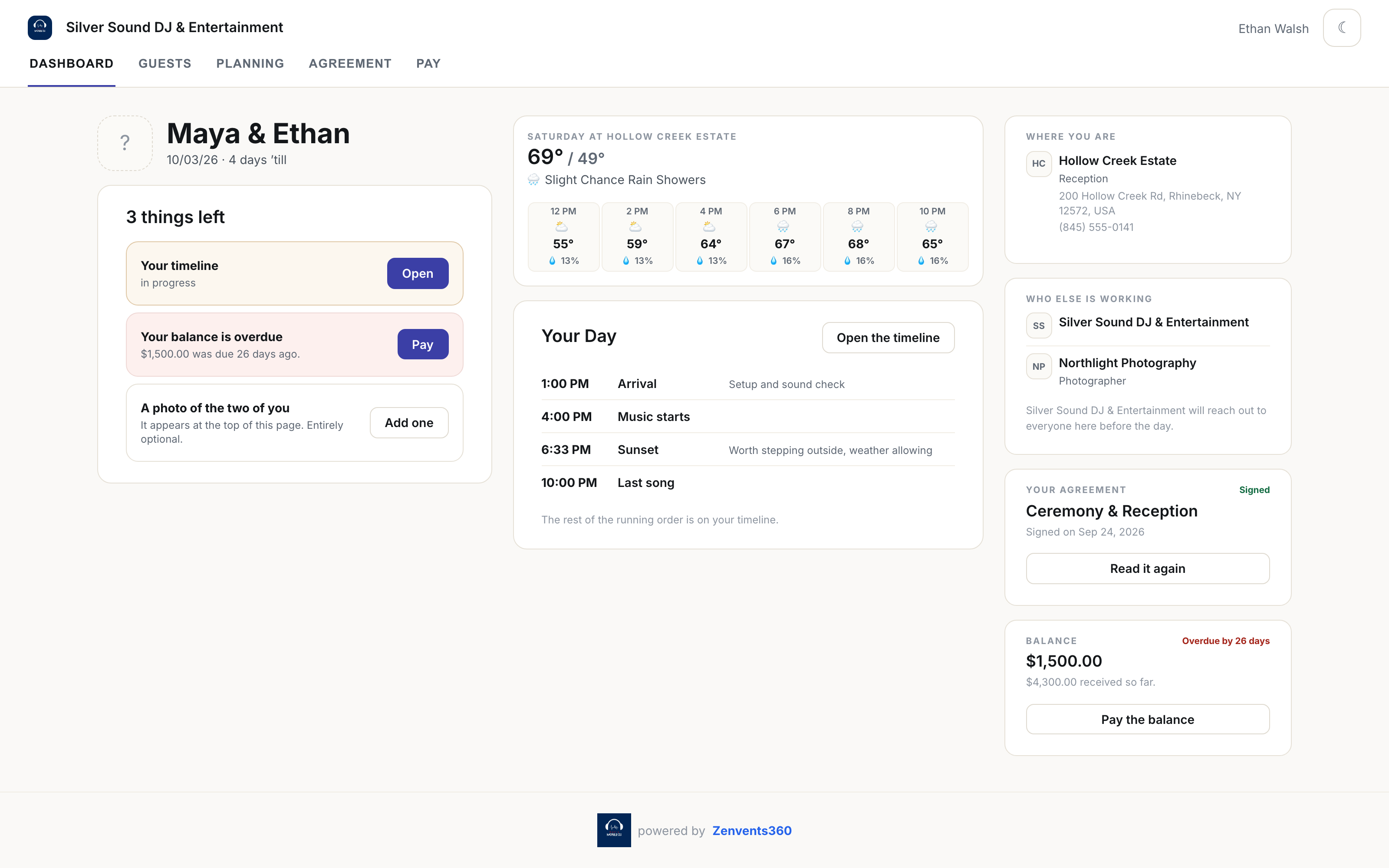
Before: the portal opened on the vendor list. After: it opens on what the couple still has to do.
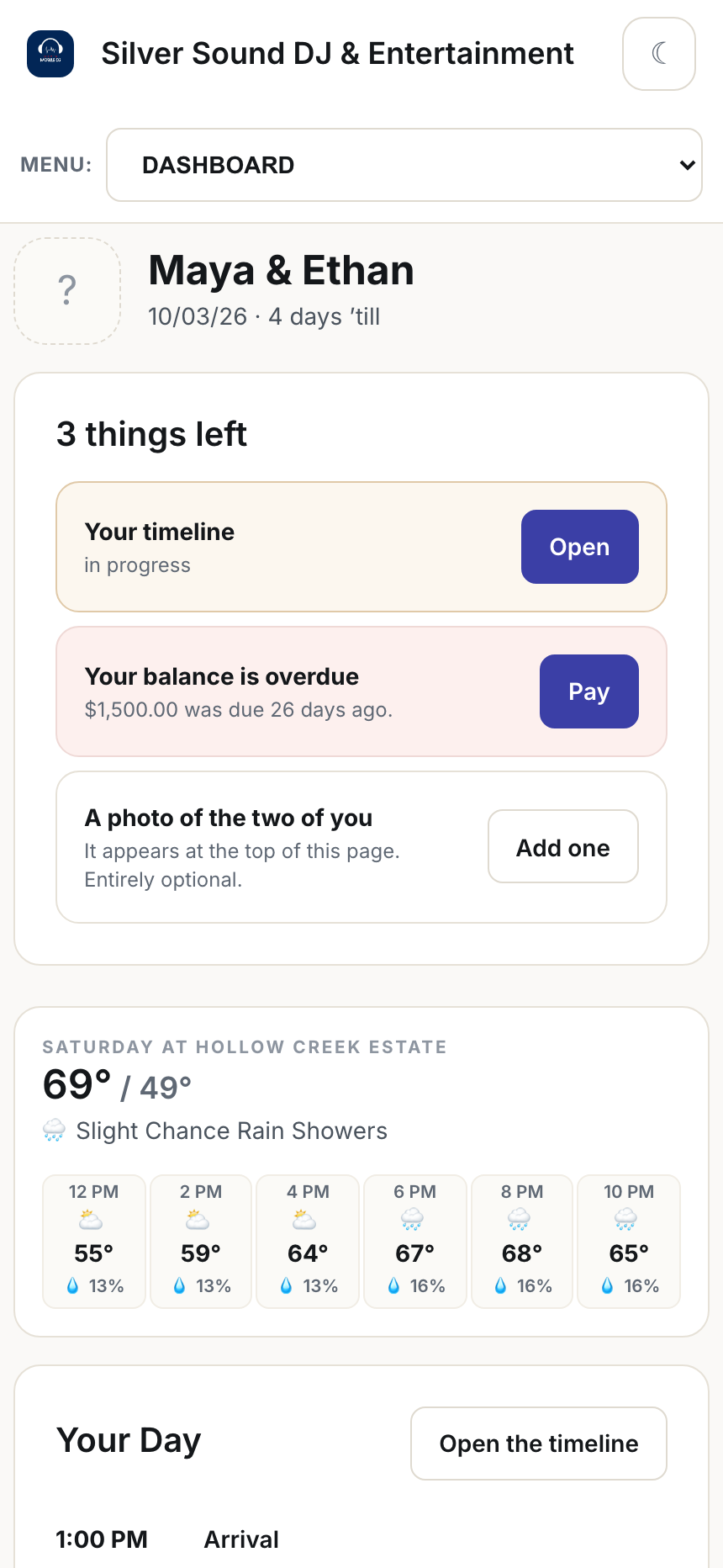
On a phone, where most couples will open it.
Quieter, so the important things are loud
The elegance part is mostly subtraction. The gradients are gone. The colors are warmer and fewer. Buttons are words, not a rainbow of filled blocks. Your brand color now tints highlights, focus rings and buttons across the app instead of a default blue, and you can set a background color and a default light or dark theme for your business.
When most of the page is calm, the one red word (Overdue) actually gets noticed. That's the whole design idea in one sentence.
What isn't finished yet
I'd rather tell you than have you find it. Not every page has moved to the new design yet. The event page, the client portal, leads, the proposals page, the menu and the P&L overview have moved. Other screens, especially admin and settings, still wear the older look, and you'll notice the seam when you cross it. I'm shipping the rest in pieces rather than holding everything back for one big reveal.
Open your next event and look at Saturday
Already using Zenvents360? It's live in your account now. New here? Start a free trial and see it on your first event.
Start Free Trial →Lou Paris
Founder of Zenvents360. 30+ years in the event industry. Built this because someone said he couldn't.